
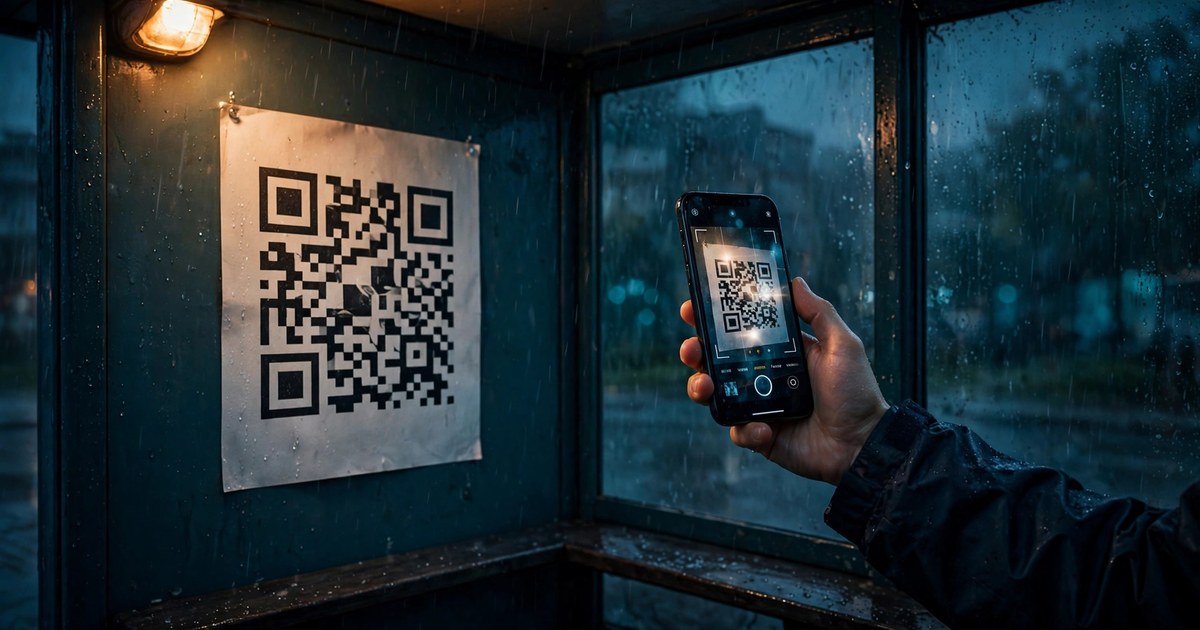
You're in a hurry. The parking meter has a QR code that says "pay here." You point your phone at it, tap the link, enter your card details. Done.
Except that QR code wasn't the city's. It was a sticker, placed over the real one by a scammer, and you just handed your credit card to a criminal.
This is called quishing — QR code phishing — and it's one of the fastest-growing scams out there. The reason it works is simple: we've all been trained to scan first and think later. Let's fix that.
How the scam works
A QR code is just a picture that holds a web address. Anyone can generate one for free in about ten seconds. Scammers print theirs as stickers and place them where real QR codes live:
- Parking meters and pay stations. The fake sticker goes right over the legitimate code. You "pay for parking" on a phishing site instead.
- Restaurant tables. Fake menu or "pay your bill" codes that lead to card-harvesting pages.
- Package delivery notices. A card on your door or in your mailbox with a QR code to "reschedule delivery." The site asks for personal details or a "redelivery fee."
- Emails and flyers. QR codes in fake utility bills, charity appeals, or crypto "investment opportunities."
The destination is always the same kind of thing: a convincing look-alike website designed to steal your login, your card number, or install malware on your phone.
The 5-second check that stops it
You don't need to stop scanning QR codes. You need one habit: look at the address before you open it.
When you point your phone's camera at a QR code, your phone shows a preview of the link before opening it. That preview is your moment. Read it. Ask yourself:
- Does the address look right? Your city's parking site should be your city's actual website — not cityparking-pay-secure.com or a random string of letters.
- Is it a URL shortener? Links like bit.ly or tinyurl hide the real destination. A legitimate parking meter has no reason to hide where it's sending you. Treat shortened links in QR codes as suspicious by default.
- Does it match the context? A restaurant's QR menu should lead to the restaurant's website or a known menu platform — not a page asking for your credit card before showing you the food.
If anything feels off, don't open it. Type the address yourself or use the business's official app instead.
Use your phone's built-in scanner — not a random app
Your iPhone or Android camera scans QR codes natively, and it shows you that link preview. That's all you need.
Skip the third-party "QR scanner" apps from the app store. Many of them are ad-riddled, some collect your data, and a few are outright malicious — showing you one address in the preview and sending you somewhere else. The camera you already have is safer than any app you'd download for this.
Red flags worth memorizing
- A sticker over another code. If the QR code is a sticker and you can see edges, or it looks placed over something, be suspicious. Feel the edges — scammers' stickers often sit slightly raised.
- Urgency plus a QR code. "Scan now or your account will be suspended!" Legitimate businesses don't threaten you via QR code.
- Asking for payment or login right away. A real parking app might ask you to pay — but it should be the city's app or website, which you can verify independently.
- QR codes in unexpected emails. Your bank will not email you a QR code to "verify your account." If you get one, go to the bank's site directly instead.
What to do if you already scanned a bad one
It happens. Don't panic — act fast instead:
- Didn't enter anything? You're almost certainly fine. Just close the page.
- Entered login details? Change that password immediately — on the real website, typed in by you — and turn on two-factor authentication.
- Entered card details? Call your bank or card issuer right away and tell them what happened. They deal with this daily and can freeze or replace the card.
- Downloaded something? Delete it, don't open it, and run your phone's security scan.
The bottom line
QR codes aren't dangerous. Blind trust is dangerous. The preview is there for a reason — use it. Five seconds of reading the address beats five hours of sorting out a stolen card number.
And pass this one along to the people in your life who scan everything without looking. You know exactly who they are.
Disclosure: This post contains affiliate links. If you buy through them, I may earn a commission at no extra cost to you.

Comments (0)
No comments yet — be the first. Comments are moderated, so yours will show up after a quick review.